
Getting Started With Your Membership

Updated: Sep 7

Get started with your member benefits. See below for instructions for each benefit and perk:
Community Portal

Connect with professionals across industries, occupations, and interests through our Community Portal.
Step 1: Users who have eligible membership plans receive an invite to join the Community Portal (Discord Server) via email.
Please read the email in full. Once ready, click the link to join the Community Portal.

Step 2: You will be taken to a new destination. Accept the invite.

Step 3: If you already have Discord on your device and are logged in, you will be taken directly to the Level Up Development Server.
If you do not, you will be prompted to download/set up Discord first. Make sure to select the LUD Server from the navigation panel on the left (highlighted in green below).

Step 4: Click on the "start-here" channel to get onboarded, see instructions on setting up your profile, and get familiar with the community.

Gifted Playbook

After becoming a member of the community, you become eligible to redeem (1) free copy of our signature playbook. See below for a step-by-step guide on how to redeem:
Step 1: Navigate to the Playbook page of our website to see available playbooks.
Make sure to log in to your account (this is the only way to activate the free redemption).

Step 2: Click on the listing for Navigating Your Professional Journey - Part I.

Step 3: Click "Add To Cart" to add the playbook to your cart.

Step 4: An automated side cart window should pop up. As an active member already logged into your account, you should see the playbook with a 100% discount automatically applied in your cart.
If you are logged into your account, an active member, and not seeing the automated discount applied, please contact us.
Next, click "View Bag" to proceed to checkout.

Step 5: Click "Checkout" and follow the prompts. Once complete, you will receive a link to download the playbook or instructions on how to access and download it.

Contact us if you have any issues.
Video Library
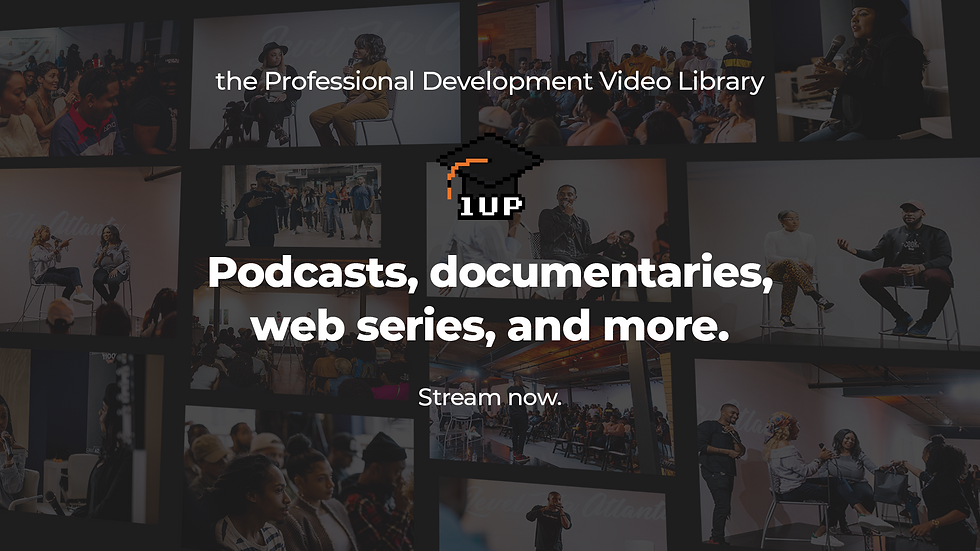
Access our video library featuring podcasts, webinars, original series, and more. Users who have eligible membership plans can access the "Watch" page of the video library.
Step 1: Navigate to the Video Library page of our website. Make sure to log in to your account (this is the only way to access the full library/watch area).

Step 2: Click on "Watch" to access the full library, browse titles, and stream. You must be logged into your account that has an active membership and is eligible to access the Video Library.

Step 3: Explore titles and watch at your leisure.


Discounted Advisement Sessions

Members with eligible membership plans receive $25 off Advisement Sessions, 1-on-1s that provide guidance, feedback, and professional recommendations. See below for a step-by-step guide on how to redeem:
Step 1: Navigate to the Advisement Sessions page of our website to see available playbooks.
Make sure to log in to your account. The discount will automatically be applied at checkout (you must be logged in to your active member account to activate the discount).

Step 2: Scroll down and click "Book Now".

Step 3: Select which service you're interested in. You can change this before booking if need be.
Again, the Membership Discount will be applied at checkout, so the pricing displayed is for non-Members.

Step 4: Select the date and time you'd like to book for, then click "Next." If you need to change the session duration, click on "Edit" under "Service Details."

Step 5: Fill out the booking form and click 'Add to Cart."

Step 6: View your cart, select your checkout/payment preference, and follow the prompts to complete your booking.

Discounted Event Tickets

Unlock exclusive savings on a variety of Level Up and partnered events. Some offers may not be eligible to be combined with other promotions.
Step 1: Navigate to the Events page of our website to see the event schedule.
Make sure to log in to your account to be able to view available event discount and promotions.

Step 2: Scroll down to the event schedule and explore events.
If an event has a membership discount, it will display a "Membership Offer" or "Subscriber Offer" ribbon for eligible members:

Step 3: Click "Register" to read more details and view ticket types. Here you will see any available discounts or promotions for eligible users.

Step 4: Confirm your details and complete the registration form. Membership discounts will be applied for eligible members.

Newsletter

Your Career, Your Control, is our community newsletter exploring the intersection of creativity, production, and business. After you've signed up or become a member, you'll receive the newsletter directly in your inbox moving forward.
Blog

Enhance your skills and broaden your perspectives. Explore case studies, community spotlights, step-by-step guides, and more.
Step 1: Navigate to the Blog page of our website.
Make sure to log in to your account (access varies based on membership status ).

Step 2: Explore categories, series, and posts. Use the search feature to search for topics and interests.

Giveaway Opportunities

Enjoy chances to win complimentary merchandise, event tickets, and more. Keep an eye out for giveaways via your email inbox and Level Up website.
Level Up Development
Level Up Development is the premier professional development resource hub equipping young professionals (under 40) with the information, relationships, and experience they need to navigate their journey.
For More Resources
Video Library: https://www.levelupdevelopment.world/video-library
Advisement: https://www.levelupdevelopment.world/advisement
Newsletter: https://www.levelupdevelopment.world/newsletter
Follow Us On Socials


Comments